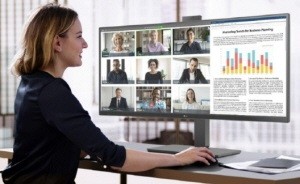
LG UltraWide Monitor (model 34BA85QE)
SEOUL -- As time spent in front of PCs and monitors increases, so too do health concerns stemming from poor ergonomic settings, such as eye strain, wrist pain, headaches, sore neck and more. A study indicates that up to 63 percent of office employees experience neck pain,2 inhibiting them from achieving peak performance and remaining motivated throughout the work day. To address these challenges, workers using monitors for extended periods should adopt preventive measures to safeguard their health. Here are some health-conscious practices to keep in mind during prolonged use.
1. Position the Monitor at Eye Level
LG QHD Monitor (model 27BQ75QC)
To prevent issues such as sore necks and headaches, it is essential to align the monitor to eye level. Traditional monitors typically require employees to adapt to a fixed workstation environment, but with adjustable stands, users can modify the screen’s height and angle, promoting a neutral posture and reducing pain during long work hours. Monitors with ergonomic stands – such as LG business monitors – present built-in adjustable functions like tilt, swivel and 90-degree rotation for a more flexible and comfortable work environment.3
2. Maintain Optimal Viewing Distance
Limited desktop space often constrains employees to sit in a position too close to the monitor, resulting in eye strain and neck fatigue. To help maintain an optimal viewing distance – typically an arm’s length – LG business monitors feature a slim stand and integrated power module. This streamlined design saves space, keeping workstations more organized and supporting better ergonomic practices.
3. Adjust Screen Settings
To protect eye health, adjustable monitor settings and specifically designed modes are available for individuals who use screens extensively. For instance, Reader Mode on LG business monitors alters the screen’s color temperature to reduce blue light, enhancing legibility to reduce eye strain for comfort and relief during prolonged periods of screen time.
4. Utilizing Ergonomic Monitors
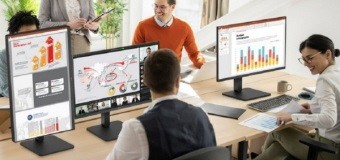 LG FHD Monitor (model 27BA560)1
For environments lacking ergonomic equipment, intuitively designed office monitors can significantly enhance physical well-being and productivity. Following this trend, LG is adding the new ergonomic business monitor to its product lineup, catering to individual preferences with a wide range of aspect ratios and resolutions, from UltraWide to UHD, QHD and FHD.
The new lineup of LG business monitors effectively enhances the in-office experience with a clean design and ergonomic setup, boosting productivity and elevating comfort for employees to truly enjoy working in an engaging and health-conscious environment.